 erdelynet.com
Managing dotfiles Chezmoi
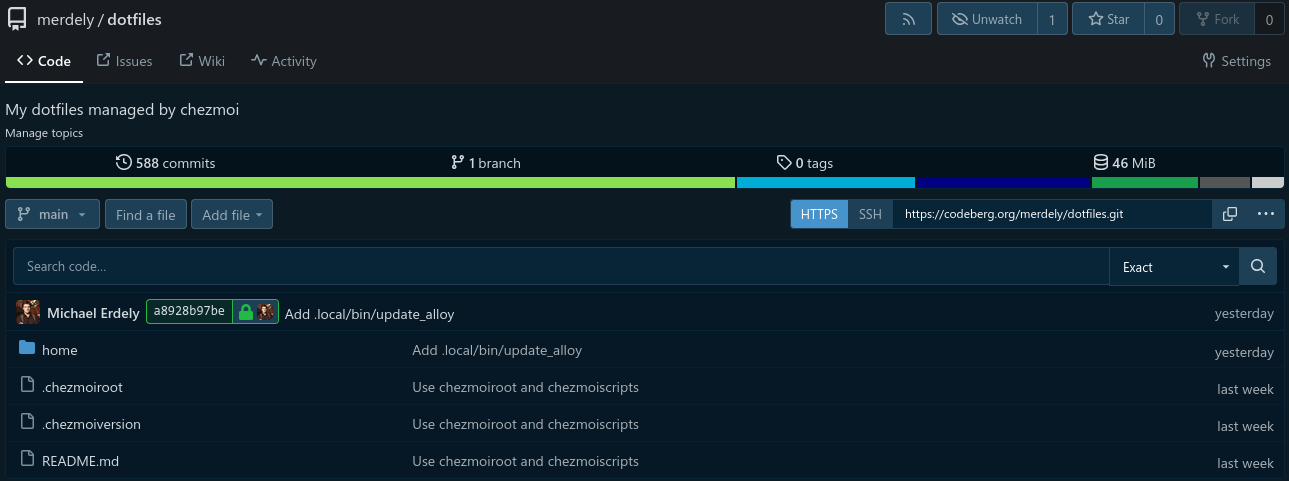
I had been trying to find a good way to manage my dotfiles for years. I tried having my $HOME be a git working directory. That worked well, but not really for keeping multiple systems in sync. I looked at stow but I didn’t reall like the way it worked. Then I found chezmoi. And it’s perfect!
The Basics
Chezmoi, stores its configuration in the source directory. On Linux/BSD, the
default location is ~/.local/share/chezmoi. To get started, you’d run:
chezmoi initAnd that sets up the source directory as a git repository, ready to receive configuration files. To add a file, you’d simply run:
chezmoi add ~/.bashrcThat will create a copy of the ~/.bashrc file into the source directory as
dot_bashrc.
What now?
Since the chezmoi source directory is a git repository, you can point it to a remote git server (like Codeberg) and sync your dotfiles with a repo. Then they would be available to all of your systems (and the Internet, if you are so inclined).
chezmoi includes a neat little feature: chezmoi cd. This opens a sub-shell
and changes into the chezoi source directory to make it easy to run commands
directly on the files in the repo. One such command could be:
git remote add git@github.com/you/dotfiles.gitThen you could run:
git commit -a -m "Add .bashrc"
git push -u origin main
And that would push your chezmoi files to your dotfiles repo on Github. Setting up chezmoi on another system is as easy as running:
chezmoi init you
chezmoi apply
And it will automatically check out https://github.com/you/dotfiles.git to
the source directory on that computer. chezmoi apply would install the files
in the chezmoi source directory to the system. And a future chezmoi update
would update the git repo and then apply the changes to the system.
Modifying a Chezmoi Managed File
To update a file in your chezmoi repo, you’d run chezmoi edit. That would
modify the file in the source directory. There are several things you can
do with your ~/.config/chezmoi/chezmoi.toml to make this process easier:
[edit]
    apply = true

[git]
    autoCommit = true
    autoPush = true
Now after chezmoi edit, the changed file is automatically applied to the
system. Also, autoCommit and autoPush does what you think. When you change
a file with chezmoi edit, chezmoi will automatically check the changes in
to git and push them to the remote repo.
What do you do if you forget to use chezmoi edit?
If you edit a file in your home directory that is managed by chezmoi and then
run chezmoi apply, it will warn you that the file has changed and ask
what you want to do with it. You can skip/quit and then run:
chezmoi re-add file_you_modifiedAnd chemzoi will save the changed file to the source directory.
Advanced Functionality
Templates
Chezmoi allows you to use a templating system to customize the dotfiles for
specific systems or specific users. You chould change .bashrc into a template
by running chezmoi chattr +t ~/.bashrc to change the file to a template (in
the source directory, dot_bashrc would be renamed to dot_bashrc.tmpl. Then
you can add a template to the file:
{{ if .chezmoi.os "darwin" -}}
# do MacOS things
{{ else -}}
# do Linux things
{{ end -}}
Passwords and Encryption
You can use a password manager like pass, Bitwarden, KeePassXC, and others along with templating to hide passwords, keys, and other private information if your dotfiles in the source directory (and, thus, git).
export AWS_SECRET_ACCESS_KEY={{ pass "aws/account1/secret_key" }}When you run chezmoi apply, chezmoi will prompt you for your GPG key to
unlock pass to inject the password into the file as it installs it to your
home directory.
Chezmoi also supports encrypting files with age and gpg, but I have not played with that feature.
Scripts
Chezmoi supports scripting. You can set up a script that runs before or after chezmoi apply the updated files on the system. You can also run a script when the script file changes. A way to trigger that is to include a comment in the script that has the checksum of another file:
# When this script or any of the hashes below change, run this script
# .bashrc: {{ include "dot_bashrc" | sha256sum }}
...
Now the script will run commands on the system whenever ~/.bashrc is changed
and those changes are applied with chezmoi apply or chezmoi update
chezmoiignore
With the chezmoiignore file, you can have chezmoi not apply specific files on specific systems (or other conditions):
{{ if eq .chemzoi.os "darwin" -}}
.config/linux_specific_thing
{{ end -}}
If the system is MacOS, the .config/linux_specific_thing file will not be
installed on that system. But it will on all other systems.
Conclusion
Chezmoi is amazing. I have written some complicated scripts and use pass to store secrets in my personal dotfiles.
I am able to use chezmoi to apply my config files on my laptops, desktops, and servers.